Showing posts with label Operating Systems. Show all posts

Sunday, 11 August 2013

Auslogics Disk Defrag Pro

2 comments
Auslogics Disk Defrag Pro - the professional version of the compact and fast defragmenter that works with both FAT 16/32, and with the NTFS file systems. The program uses a series of algorithms that optimize and manage files on your hard drive, defragment the file structure and speed up applications and Windows. 
Auslogics Disk Defrag Pro Features:- Defragments system files (MFT, pagefile, hiberfil, etc.)- Offers a choice of 4 disk optimization algorithms- Not only defrags, but prevents further fragmentation- Uses special algorithms for SSD and VSS-enabled drives- Shows detailed reports and performance charts
- And more...


System Requirements: Windows 8 & Windows 7,Vista (with SP2) & XP (with SP3)32-bit and 64-bit (Windows 8 and 7)25 MB available hard disk space512 MB RAM (Windows 8/7/Vista)256 MB RAM (Windows XP)


Homepage: http://www.auslogics.com/en/software/disk-defrag-pro/

Installation Instructions:- Install program.

- Register application with given serial.

- Done, Enjoy.


>>DOWNLOAD FROM HERE<<


Read More...

Saturday, 1 June 2013

Activators for Windows and Office

Leave a Comment
Hello friends. I am going to provide you with not just one but two awesome activators you can use to activate Windows as well as Office. It contains KMSpico as well as another 2-in-1 activator you can use to activate Windows and Office both.

>>DOWNLOAD FROM HERE<<

Read More...

Thursday, 18 April 2013

Windows 7 Anytime Upgrade Keys

2 comments
Today I'll tell about new trick to upgrading your genuine Windows 7 any version to Home Premium or Professional or
the most favorite Ultimate Version. The things you have to need is
•A genuine Windows 7 Any version (May be you buy or it comes preinstalled )
•The magical key
Upgrade Windows 7 Free
Method :
1. First Connect Your PC to Internet.
2. Then go to your control panel and click on Windows Anytime Upgrade
3. Here you will get a window asking your anytime upgrade keys
4. Just copy paste this keys according to your version and click next
5. Then it will verify saying its OK , click on next button
6. A new window will open saying it may take few minute
7. After few minute it will say your keys not working or something
8. Just close the windows and restart your PC and see the magic.

Windows 7 Home Premium: 6RBBT-F8VPQ-QCVPQ-KHRB8-RMV82

Windows 7 Professional: VTDC3-WM7HP-XMPMX-K4YQ2-WYGJ8
                                       6RQ9V-6GCG4-8WV2H-966GF-DQ4DW
                                       32KD2-K9CTF-M3DJT-4J3WC-733WD

Windows 7 Ultimate: FJGCP-4DFJD-GJY49-VJBQ7-HYRR2
                                 342DG-6YJR8-X92GV-V7DCV-P4K27
Read More...

Saturday, 13 April 2013

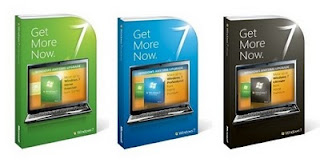
Windows 7 (Torrent)

1 comment

Windows 7 is the latest version of the Microsoft operating systems which succeeded Vista. The version is packed with important features that the users and download squad readers are familiar with. However, average users may experience some difficulties on the uptake. This is because a number of them are not aware of the great features that have been carried over from the earlier windows versions.

Most of the average users may not be aware of five basic features whereas most of them dedicate their time to knowing the advanced features. Its good to make sure you learn about the five basic features that will save your time, protect your data and keep all the malware and computer viruses away.
The first basic feature is the search box on the start menu. Most of the users complain of experiencing difficulties finding anything. Once you type whatever you need in this box, it appears at the start menu instantly. The search box not only works with your start menu it works with anything on the computer. Your favorite tunes, emails and misplaced notes. You will be surprised to find out how easy it will be to get at theme settings, system information, printers and so much more. By now, you should be finding the box very easy to use.
The next feature on the version is pinning items. This task had always proved to be easy as you only had to use the start menu. However, in the version, it is expanded to the taskbar. This should not put you off; Drag all those scattered shortcuts on your desktop to the task bar. This uncovers them from the open windows program.
The Windows 7 has an efficient built in back up tool. Once you plug in a USB hard drive, it will ask if it is to be used as a backup tool. Then create a job for your files to be backed up to the drive, begin the initial run. After this you will always have an option to replay your job each time you plug in the drive. This also ensures that your files are safe.
Create your own system using the System Image. This involves taking a snap of your whole system, which includes Windows, programs, pictures, music and documents. The snap is then stored in case of any disastrous occurrence. Even when your hard drive crashes, the system image can be restored to a new drive. However, it is recommendable for you to save the image to an external drive or a network device in place of DVDs.
Windows 7 offers various user accounts apart from the guest and administrator accounts provided by the previous windows versions. Once you form a standard user account, then you will be protected from malicious software and rogue antivirus programs as the files and folders will be inaccessible.
Other features include the desktop, explorer, the start menu, taskbar, management mouse gestures, keyboard shortcuts, font management and devices, which together with windows explorer, offer a simple view of any devices that are connected to the computer.

>>DOWNLOAD WINDOWS 7 FOR FREE FROM HERE<<

Read More...